
Providence
PROVIDENCE HEALTH & SERVICESMedical
4.62.34K Reviews
- Version
- 10.5.0
- Installs
- 500.00K
- Age Rating
- Everyone
Screenshots
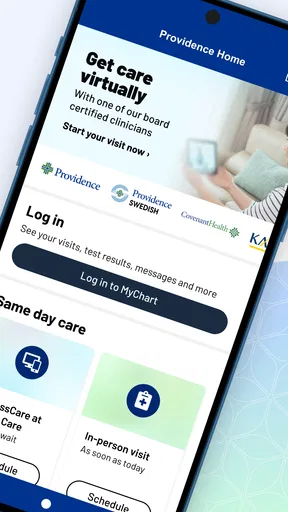
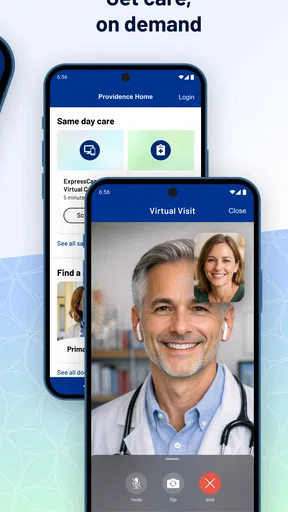
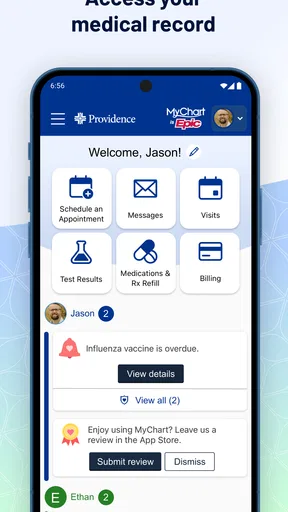
Our Review of Providence
 Analysis by Appyee
I found Providence most useful as a central place for handling everyday healthcare tasks rather than as a replacement for a doctor, urgent care, or emergency services. It is a free medical app from PROVIDENCE HEALTH & SERVICES, and its basic promise is simple: make personal health management easier when you are away from a computer or moving between appointments. In my experience, that focus makes sense for people who already use Providence healthcare services and want a more convenient way to stay connected.
The app is available to everyone in terms of its age rating, runs on Android versions from 9 onward, and has reached over 500 thousand installs. Its average rating is 4.6 from around 26 thousand ratings, with roughly 2.3 thousand written reviews. Those figures suggest that many people find it dependable, but they do not remove the need to judge whether its organization and access style suit you personally.
How Providence works in everyday healthcare
My first impression is that Providence is best understood as a patient-access app. Instead of treating health information as something you only check during a consultation, it encourages you to manage parts of that relationship during ordinary moments: checking something before leaving home, preparing for an appointment, or reviewing information after speaking with a healthcare professional.
That distinction matters. A general health tracker may concentrate on steps, sleep, exercise, or nutrition. A symptom-search tool may help you think through possible causes. Providence belongs to a different part of the medical-app category. Its value is tied to communicating with and organizing care through the Providence environment, not to replacing professional evaluation with automated advice.
I would recommend it first to an existing Providence patient who wants fewer separate tasks. It can also be useful for someone helping a family member keep track of healthcare responsibilities, provided that person has the appropriate access and is comfortable using a mobile interface. If you are not connected to Providence healthcare services, the app is less likely to become a meaningful part of your routine.
The current version is 10.5.0. That is worth noting when troubleshooting, because the behavior you see can depend on whether your device and operating system support the current release. The app itself is free, which removes a financial barrier to trying it, although using a healthcare app may still involve the normal practical requirements of having a compatible device, an account, and access to the relevant Providence services.
Readability and navigation in a health setting
Healthcare screens need to be calmer and clearer than many ordinary apps. When I open a medical app, I am rarely in the mood to explore. I usually have one goal: find a piece of information, complete a task, or understand what I need to do next. Providence is most successful when it keeps that goal in view and presents healthcare actions in a direct way.
For users with limited technical confidence, the biggest advantage of a dedicated provider app is context. You do not have to begin with a broad web search and then decide which result belongs to your healthcare organization. The Providence identity gives the app a clear purpose, which can make the first step less intimidating for someone who is already dealing with appointments, paperwork, or a new diagnosis.
Still, medical navigation is rarely effortless for everyone. Labels that seem obvious to a regular patient may be unfamiliar to someone who is new to the Providence system. A person may also approach the same screen with a different question each time: “Where do I go for this appointment?” is not the same as “Where can I review information?” Good navigation in this context means more than attractive design; it means reducing the number of decisions a user must make while tired, worried, or distracted.
My practical advice is to spend a few minutes learning the main areas before you urgently need them. Look for the parts of the app you are most likely to use, then return to them deliberately rather than tapping through every option at once. This small preparation can make a noticeable difference when you are sitting in a waiting room or trying to help a relative over the phone.
Readability also depends on the phone itself. Text size, display scaling, contrast, screen brightness, and system-level accessibility settings can change how comfortable the app feels. If you have difficulty reading small text, adjust the device before deciding that the app is unusable. At the same time, system adjustments cannot fix every design choice, so users with significant visual needs should test the actual screens they depend on rather than assuming that general phone accessibility will solve everything.
Motor, visual, hearing, and cognitive considerations
People often discuss accessibility as if it only means screen-reader support, but healthcare access is broader than that. A user may have tremors, reduced dexterity, low vision, hearing loss, dyslexia, memory difficulties, or fatigue caused by illness. The most suitable setup will therefore differ from person to person.
For someone with motor limitations, a phone can be easier than a desktop in one situation and harder in another. A mobile device is available at the bedside and does not require a desk, but its smaller touch targets can be demanding when precise tapping is difficult. I would use the largest comfortable display available, avoid rushing through forms, and keep the phone supported on a stable surface when possible. Voice input provided by the operating system may help with typing, although I would review any dictated medical information carefully before submitting it.
For users with low vision, the useful question is not simply whether the app has text. It is whether the important text remains understandable after enlargement, higher contrast, or a larger system font is applied. A person who can read comfortably in a bright room may struggle in a dim bedroom or while recovering from treatment. Testing the app in the conditions where you will actually use it is more informative than judging it at a shop counter.
Hearing-related access can also affect healthcare tasks. If an interaction depends on a phone conversation, a user with hearing loss may need another communication arrangement. The app can be convenient for digital tasks, but it should not be treated as proof that every part of a care journey is equally accessible. If a phone call is difficult, contact the relevant Providence service and ask what alternative communication route is available rather than waiting until an appointment becomes urgent.
Cognitive load is another important consideration. A person managing medication, pain, anxiety, or a complicated treatment plan may find even a short digital task exhausting. I prefer to use Providence when I have enough time to read each instruction, check names and dates, and confirm what I am sending. A useful habit is to write down the exact question you need answered before opening the app. That prevents the session from turning into a vague search through healthcare information.
There is also a privacy angle to inclusive use. Some people share a phone with a partner or depend on a caregiver. Others need help because of language, memory, or mobility limitations. Convenience should not mean handing over more personal information than necessary. I would choose carefully who assists with the app, keep the device protected, and make sure the patient understands what is being viewed or submitted. The right support preserves the person’s control instead of quietly replacing it.
Using the app when circumstances are less than ideal
The strongest case for Providence appears in ordinary but stressful situations. Imagine preparing for a morning appointment while caring for a child, working irregular hours, or recovering from an illness. You may not have access to a computer, and you may not remember every detail from your last conversation with a clinic. A provider-focused app can reduce the need to reconstruct the whole situation from memory.
Another realistic scenario is helping an older family member who becomes overwhelmed by healthcare administration. Sitting together with the phone can be less frustrating than asking that person to navigate a general website alone. I would agree in advance on what help is wanted, read information aloud if necessary, and pause before taking any action. That approach supports the patient without assuming that a caregiver should automatically control the account.
Travel and changing routines are also situations where a mobile app has a natural advantage. A phone is more likely to be nearby than a laptop when you need to check something related to care. However, mobile convenience should not be confused with universal availability. You still need a working device, enough battery, and a usable connection. If you are heading somewhere with unreliable service, prepare important appointment details and contact information before leaving rather than depending entirely on live access.
Providence is less suitable for emergencies. I would not use a healthcare account app as the first response to severe symptoms, a serious injury, or a situation where immediate help may be needed. In those cases, use the appropriate emergency service. The app is designed for managing a healthcare relationship, not for making urgent decisions faster than emergency professionals can.
It is also not the best single tool for people who want detailed wellness analytics. If your main interest is tracking exercise patterns, food intake, sleep trends, or other personal measurements, a dedicated health-tracking app may be a better fit. Providence makes more sense when the center of your attention is care with Providence rather than a broad personal dashboard.
Where the experience can still create barriers
The most important limitation is that usefulness depends on belonging to the right healthcare ecosystem. A polished provider app cannot help much if your clinicians, appointments, or records are elsewhere. Someone who moves between several health systems may end up needing multiple apps, each with its own login habits and navigation. In that situation, Providence may be convenient for one part of care but not a complete solution.
Digital access can also expose differences between patients. A confident smartphone user may finish a task quickly, while someone with limited data access, an older device, or low digital literacy may need assistance. Free download availability helps, but it does not remove those practical barriers. A person should not feel that they are failing simply because a healthcare process is easier for someone with better equipment or more experience.
Account and identity steps can be another source of friction in any medical app. I recommend keeping your personal details consistent, reading prompts carefully, and avoiding repeated attempts when something does not work. If access becomes confusing, contacting Providence support or the relevant care office is usually more sensible than guessing, especially when the task concerns private medical information.
Language and communication needs deserve the same caution. A user may be comfortable reading general English but still need interpretation for medical terms or instructions. I would not rely on a family member’s casual translation for an important clinical decision. Use qualified help through the healthcare provider when the meaning could affect treatment, preparation, or follow-up.
There is also a difference between being able to open an app and being able to use it independently. A person with a disability may technically reach every screen but still encounter small controls, dense wording, time pressure, or unclear confirmation steps. That is why I would judge Providence by the specific tasks I need, not by the fact that it installs successfully. Try the complete journey, from opening the app to finishing the action, while using your normal accessibility settings.
Finally, a mobile screen can encourage people to skim. Medical information deserves slower attention than a social-media post. I would avoid making important decisions while distracted, save questions for a clinician, and double-check names, dates, and instructions before acting. The app can organize access, but it cannot provide the personal context that a healthcare professional brings to a consultation.
Who should choose Providence?
I think Providence is a sensible choice for current Providence patients who want a free mobile route into their healthcare tasks. It is especially appealing if you prefer using a phone, find provider websites inconvenient, or need a central place to return to during an ongoing care journey. The strong average rating and broad install base indicate that it has earned substantial user acceptance, while the Everyone rating makes it appropriate for a wide age range from a store-classification perspective.
I would be more cautious if you are looking for a universal medical organizer, a diagnostic tool, or an advanced personal health-analysis platform. Those needs call for different solutions. Providence is provider-specific, and that specialization is both its main strength and its main boundary.
Before committing to regular use, I would test three things: whether your Providence relationship is represented correctly, whether the text and controls remain comfortable with your accessibility settings, and whether the app helps with the tasks you actually perform. If a caregiver will assist you, test that arrangement respectfully and make sure the patient remains informed.
My inclusive verdict is positive but practical. Providence lowers some of the everyday distance between a patient and a healthcare organization, and its free mobile format can be valuable when a computer is inconvenient. I appreciate that it belongs to a recognizable medical provider rather than pretending to solve every health problem in one place. At the same time, its benefits depend on Providence access, device comfort, digital confidence, and the availability of suitable human support when the app is not enough.
For me, the best way to use it is as one part of a broader care routine: prepare questions before opening it, adjust the phone for your vision and motor needs, ask for communication support when necessary, and never use it instead of emergency help. If those conditions match your situation, Providence is worth trying. If they do not, a different provider portal, direct contact with a care office, or a specialized health tool may serve you better.
Verdict
Strengths of Providence
- Clear appointment scheduling and access to care information
- Useful provider and facility search tools
- Secure access to personal health records
- Prescription management helps organize medications
- Supports telehealth for convenient remote consultations
Limitations of Providence
- Some features may require an active Providence account
- Availability of services can vary by location
- App performance may depend on a stable internet connection
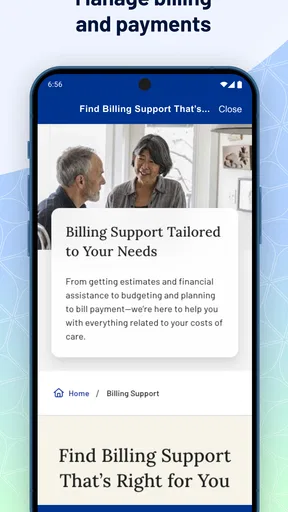
- Insurance and billing details can be difficult to navigate
- Not all medical needs can be handled through the app
Similar Picks in This Category
View All
WebMD: Symptom Checker
WebMD, LLC4.1

Microphone Amplifier
DOSA Apps4.2

Anatomy Learning - 3D Anatomy
3D Medical OU4.5

Period Tracker and Calendar
SimpleInnovation4.9

GoodRx: Prescription Coupons
GoodRx4.8

CVS Health
CVS Pharmacy4.5
Frequently Asked Questions
What is Providence, and what can I use it for?
Providence is an app designed to help users access information and services related to Providence. Depending on the version and platform, it may provide useful features such as browsing available content, checking updates, managing account details, or accessing local resources. Before downloading, review the app’s official description to confirm that its current features match your needs and location.
Is Providence free to download and use?
Providence may be available as a free download, but some features or services could require payment, a subscription, registration, or eligibility through an organization. After installing it, check the pricing information carefully before using paid options. It is also worth reviewing whether your mobile carrier may charge data fees, especially when accessing content over cellular networks.
Is Providence available for both Android and iPhone?
Availability can vary depending on the specific Providence app, your country, and your device’s operating system. Check the official Google Play Store or Apple App Store listing before downloading to make sure the application supports your phone or tablet. The Android and iOS versions may also differ slightly in design, permissions, performance, and available features.
Does Providence require an account or personal information?
Some Providence features may be accessible without signing in, while others can require an account to save preferences, manage services, view personalized information, or protect private data. During setup, examine the information requested and read the privacy policy. Only provide details that are necessary, and use a strong, unique password if account registration is required.
Is Providence safe and reliable to use?
The safest way to install Providence is through its official Google Play Store or Apple App Store listing rather than an unofficial download site. Before installation, check the developer name, recent reviews, update history, requested permissions, and privacy disclosures. Keep the app and your operating system updated, and avoid sharing sensitive information unless you understand how it is collected and protected.
